

Why I Stopped Using Pi-Hole on My Network
Pi-Hole, with Retropie or Magic Mirror, is one of those projects that somehow always makes it to the “best Raspberry Pi projects” lists. If you have a Raspberry Pi, it’s hard not to know about it. So obviously, I’m a big fan and using it myself at home, right? Well, not so fast…
Setting up an ad blocker on a Raspberry Pi is one of the most popular projects among Raspberry Pi users. It blocks most ads on your entire network by replacing the default DNS server with one that filters out ads on all your devices.
On paper, it’s exactly the kind of Raspberry Pi project I should love. Well… I don’t.
I build websites for a living, with everything that comes with it (ads, analytics, scripts, etc.). Many of those are blocked by default. So, for me, having Pi-Hole or AdGuard set up causes more problems than it solves.

If you want a clearer path than jumping from tutorial to tutorial, my book gives you a step-by-step roadmap to really understand your Raspberry Pi.
Check the book here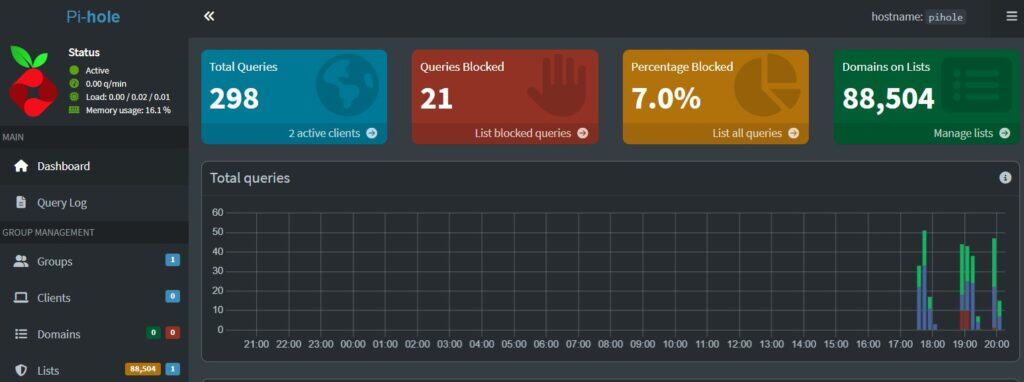
When all your internet queries go through a service like Pi-Hole, every time something doesn’t work as expected, you start wondering if it’s related to Pi-Hole. It might be the sysadmin in me, but I noticed I’m losing much more time with it on my network than without it.
If you already have an ad blocker or use a browser like Brave, having Pi-Hole in the middle won’t make much of a difference. In fact, Brave is often better than Pi-Hole at blocking certain things. Having Pi-Hole adds some headaches.
To be clear, I’m not blaming Pi-Hole or AdGuard itself. They are excellent projects created by talented people who still update them regularly. We can thank them for that.
My main point is that you shouldn’t force yourself to use or build every project on the “Top Raspberry Pi Projects” list just because they’re popular. Start with your real needs and interests. If it works for you, great! If not, that’s OK!
If blocking ads across your whole network sounds useful, you’ll probably love Pi-Hole. It just isn’t the right tool for me anymore.
If you decide Pi-Hole isn’t the right project for you, don’t worry, there are plenty of others worth trying.
I put together a list of my favorite Raspberry Pi project ideas, from beginner-friendly setups to more advanced builds. I’m sure you’ll find something that better matches what you want to do with your Raspberry Pi.





Hello!
I am using Pi-Hole for my whole network (several VLANs). It’s working fine, so I don’t have to use any adblocker plugins/extensions for any browser we use on our network (saves a lot of resources on the client machines/phones/etc.), and I have a test network, as well, with the Pi-Hole config excluding either the whole network or machines in it individually or even some grouped together.
So for your workflow, I would suggest, the test machine(s) should be configured to be excluded from some/all filters.
There are a lot of configuration options available in Pi-Hole, like adding machines (“clients”) based on their MAC address, then assigning them to group(s), so you have the option to assign lists to groups.
* There, you can have a group, that doesn’t have any lists assigned -> no filtering occurs for them.
* Then, you can have a group, that has the default group assigned, but some manual group(s) aren’t, so eg.: your whitelist doesn’t apply to that group.
* So, you can have a rather sophisticated config/network with a single Pi-Hole (or two for high availability – I use two LXCs, one on a Pi with PXVirt and one on a “server” notebook on Proxmox).
* That single config can be saved, backed up and copied to several instances (across architectures, too! I use a single config for my Rpi/arm64 and AMD64, as well)
Hope, these clarify the situation!